Why?
Enable quickly getting started with smart contract development by documenting common patterns and errors.
What?
Install WSL.
Install nvm and npm.
Install truffle, ganache, and openzeppelin.
Create and deploy contracts and dapp.
Integrate wallet and dapp.
How?
Use Windows Subsystem for Linux (WSL) for best compatibility. See: https://davidburela.wordpress.com/2017/05/12/how-to-install-truffle-testrpc-on-ubuntu-or-windows-10-with-windows-subsystem-for-linux/. Learn more about truffle: https://www.trufflesuite.com/docs/truffle/quickstart.
npm install -g truffle ganache-cli The following error is thrown.
npm install --global @openzeppelin/cli

npm WARN notsup Unsupported engine for web3-utils@1.2.0: wanted: {"node":">=8.0.0 <=11.15.0"} (current: {"node":"13.0.1","npm":"6.12.0"})

npm WARN notsup Not compatible with your version of node/npm: web3-utils@1.2.0
Use nvm to install a compatible node version.
nvm ls
 ->     v10.17.0
         v13.0.1
          system
 default -> node (-> v13.0.1)
 node -> stable (-> v13.0.1) (default)
 stable -> 13.0 (-> v13.0.1) (default)
 iojs -> N/A (default)
 unstable -> N/A (default)
 lts/* -> lts/erbium (-> N/A)
 lts/argon -> v4.9.1 (-> N/A)
 lts/boron -> v6.17.1 (-> N/A)
 lts/carbon -> v8.16.2 (-> N/A)
 lts/dubnium -> v10.17.0
 lts/erbium -> v12.13.0 (-> N/A)

nvm install lts/dubnium

npm install --global @openzeppelin/cli
Unpack the Tutorial Starter Kit. Replace app with project name. See: https://docs.openzeppelin.com/starter-kits/2.3/tutorial.
oz unpack tutorial
 ⠦ Downloading kit from https://github.com/openzeppelin/tutorial-kit.git
 ✓ Kit downloaded and unpacked
 The kit is ready to use.
 Quick Start
 Run your local blockchain:
   ganache-cli --deterministic
   Initialize the OpenZeppelin SDK project:
   openzeppelin init app
   Go to the client directory:
   cd client
   Run the React app:
   npm run start
   Continue in your browser!
   More at https://github.com/OpenZeppelin/starter-kit-tutorial

oz init app
 ? Initial project version 1.0.2
 Project initialized. Write a new contract in the contracts folder and run 'openzeppelin create' to deploy it.

npm run start
   client@0.1.0 start /mnt/c/Users/baonguy/Documents/repo/helloworld/client
   react-app-rewired start
Run ganache and npm run start in separate command windows.The contracts have not been created on the local blockchain.


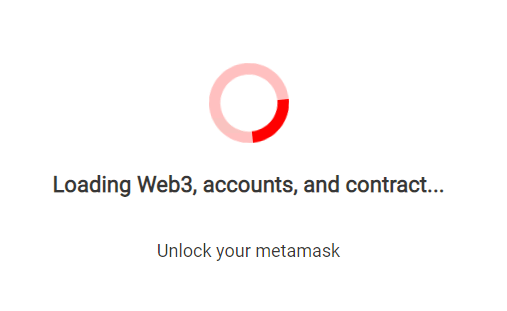
The first time the page is loaded it will attempt to connect with a wallet.
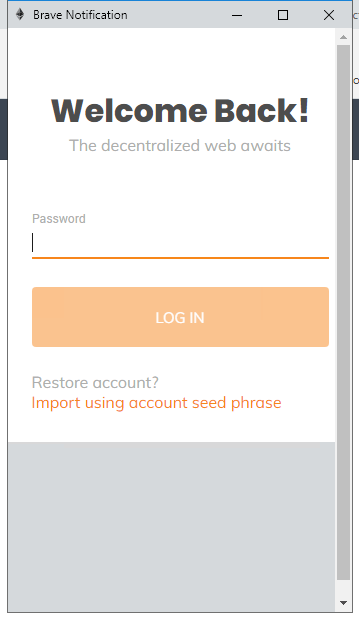
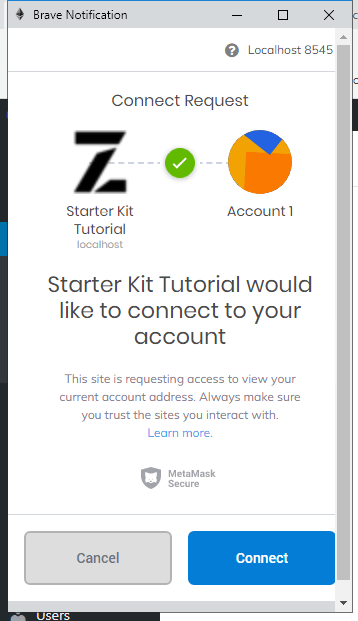
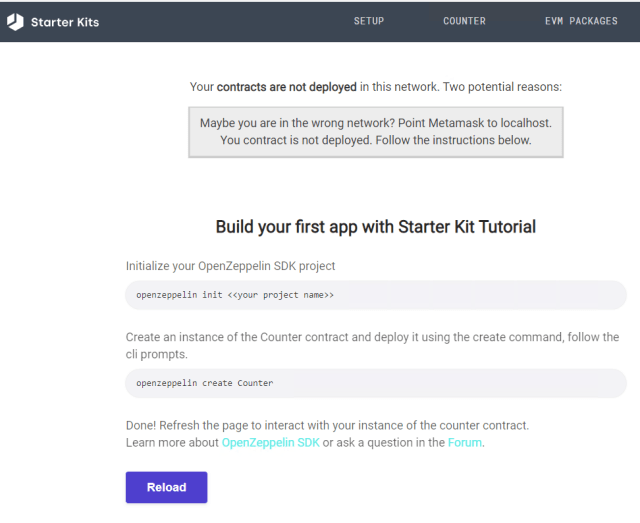
The page will load once the application has been granted access to a wallet. Create the contract to continue.
oz create
Nothing to compile, all contracts are up to date.
? Pick a contract to instantiate (Use arrow keys)
   = Your contracts =
❯ Counter
  Wallet

 ? Pick a contract to instantiate Counter
 ? Pick a network (Use arrow keys)
 ❯ development
   ropsten
   kovan
   rinkeby
   main

? Pick a network development
 ✓ Added contract Counter
 ✓ Contract Counter deployed
 All contracts have been deployed
 ? Do you want to call a function on the instance after creating it? (Y/n) y

? Do you want to call a function on the instance after creating it? Yes
 ? Select which function (Use arrow keys)
 ❯ * initialize(num: uint256)
   decreaseCounter(amount: uint256)
   increaseCounter(amount: uint256)

? Select which function * initialize(num: uint256)
 ? num (uint256):

? num (uint256): 0
 ✓ Instance created at 0x254dffcd3277C0b1660F6d42EFbB754edaBAbC2B
 0x254dffcd3277C0b1660F6d42EFbB754edaBAbC2B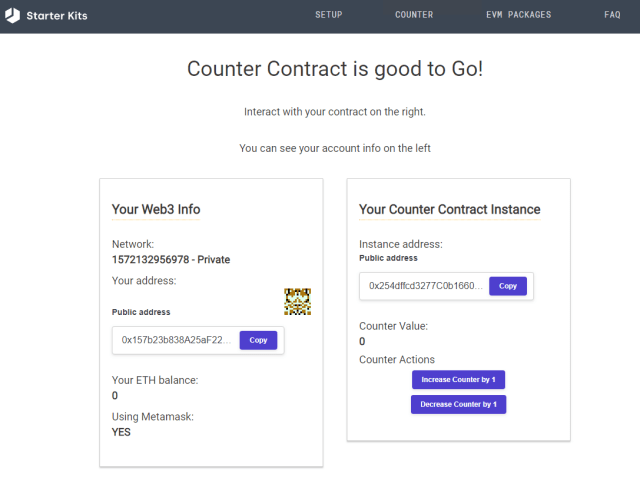
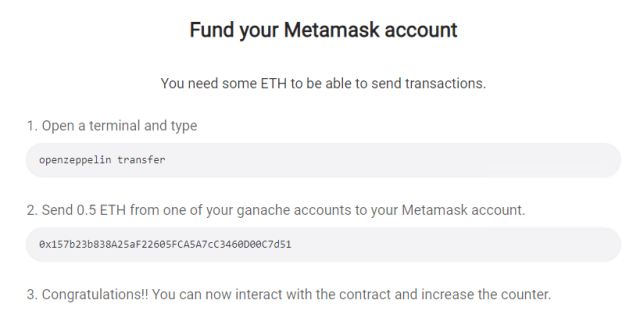
ganache-cli --deterministic
 Ganache CLI v6.3.0 (ganache-core: 2.4.0)
 eth_blockNumber
 eth_blockNumber
 Available Accounts
 (0) 0x90f8bf6a479f320ead074411a4b0e7944ea8c9c1 (~100 ETH)
 (1) 0xffcf8fdee72ac11b5c542428b35eef5769c409f0 (~100 ETH)
 (2) 0x22d491bde2303f2f43325b2108d26f1eaba1e32b (~100 ETH)
 (3) 0xe11ba2b4d45eaed5996cd0823791e0c93114882d (~100 ETH)
 (4) 0xd03ea8624c8c5987235048901fb614fdca89b117 (~100 ETH)
 (5) 0x95ced938f7991cd0dfcb48f0a06a40fa1af46ebc (~100 ETH)
 (6) 0x3e5e9111ae8eb78fe1cc3bb8915d5d461f3ef9a9 (~100 ETH)
 (7) 0x28a8746e75304c0780e011bed21c72cd78cd535e (~100 ETH)
 (8) 0xaca94ef8bd5ffee41947b4585a84bda5a3d3da6e (~100 ETH)
 (9) 0x1df62f291b2e969fb0849d99d9ce41e2f137006e (~100 ETH)
oz transfer
? Pick a network (Use arrow keys)
❯ development
ropsten
kovan
rinkeby
main
oz transfer
? Pick a network development
? Choose the account to send transactions from (Use arrow keys)
❯ (0) 0x90F8bf6A479f320ead074411a4B0e7944Ea8c9C1
(1) 0xFFcf8FDEE72ac11b5c542428B35EEF5769C409f0
(2) 0x22d491Bde2303f2f43325b2108D26f1eAbA1e32b
(3) 0xE11BA2b4D45Eaed5996Cd0823791E0C93114882d
(4) 0xd03ea8624C8C5987235048901fB614fDcA89b117
(5) 0x95cED938F7991cd0dFcb48F0a06a40FA1aF46EBC
(6) 0x3E5e9111Ae8eB78Fe1CC3bb8915d5D461F3Ef9A9
(Move up and down to reveal more choices)
oz transfer
? Pick a network development
? Choose the account to send transactions from (0) 0x90F8bf6A479f320ead074411a4B0e7944Ea8c9C1
? Enter the receiver account
oz transfer
? Pick a network development
? Choose the account to send transactions from (0) 0x90F8bf6A479f320ead074411a4B0e7944Ea8c9C1
? Enter the receiver account 0x157b23b838A25aF22605FCA5A7cC3460D00C7d51
? Enter an amount to transfer
oz transfer
? Pick a network development
? Choose the account to send transactions from (0) 0x90F8bf6A479f320ead074411a4B0e7944Ea8c9C1
? Enter the receiver account 0x157b23b838A25aF22605FCA5A7cC3460D00C7d51
? Enter an amount to transfer .5 ether
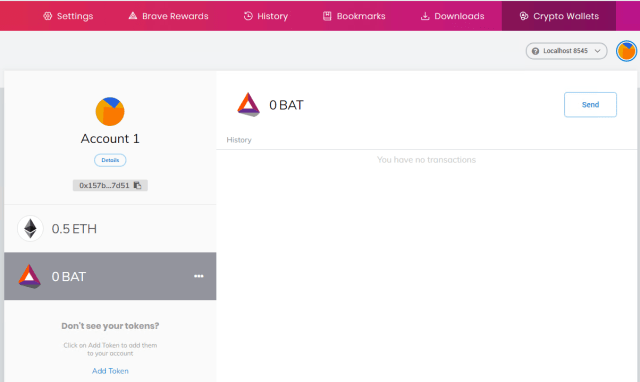
✓ Funds sent. Transaction hash: 0xd332c555afe7acb72ca91a3d353dd71004eca355c100327519347edae45c3592